Watch the tour
The 2:44 filmed tour of Graduate Lab: the hall, the eight wings, a live workbench and the exam hall. All sales are final, so please watch it all first.
Graduate Lab · Version 2.7.9 · macOS, Windows, Linux
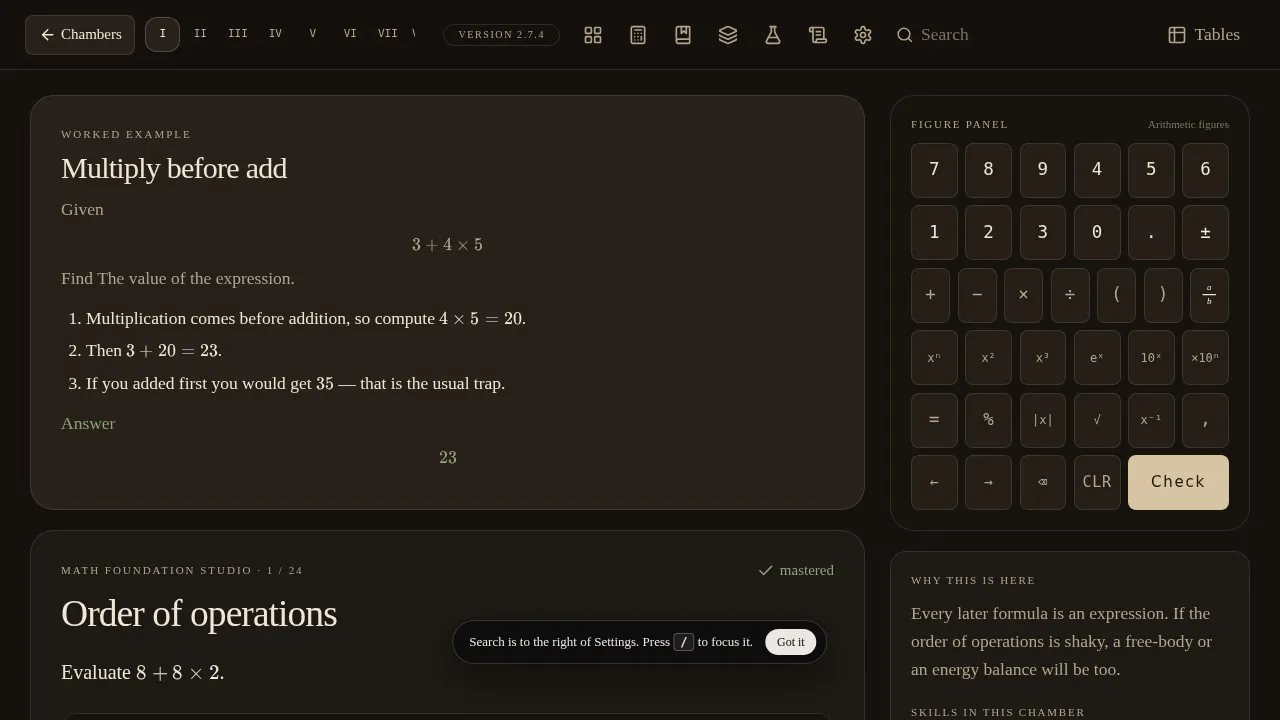
6,961 problems in 291 chambers, from order of operations to finite elements and flight dynamics. Check every answer and walk the solution one step at a time. Use it alongside your textbook, or to refresh what you learned and keep your mind sharp.
Works on macOS, Windows and Linux · One-time price, no subscription · All sales are final, so please watch the full tour before you buy.
“I built Graduate because I wish I had a tool like this when I was in college.”
Tour · 2:44
A narrated walk through the live app: problems checked and solved step by step, search, the periodic table, workbenches, formulas, flashcards, the exam hall and the Graduate Vault. Watch it all before you buy.
Available now · $49
291 chambers and 6,961 problems. Watch the tour, read the user’s manual, then get your copy.
How it works
The 2:44 filmed tour of Graduate Lab: the hall, the eight wings, a live workbench and the exam hall. All sales are final, so please watch it all first.
Checkout opens Stripe’s payment page. Stripe handles cards, tax and receipts. There is no subscription.
Your download link arrives by email. Unzip the whole folder, then open Graduate Lab with the launcher for macOS, Windows or Linux. After that it works offline, with no account. Install guide
After you buy
Graduate Lab is practice aligned to IB topics in math, physics and chemistry, from Glenar Laboratory. It is not affiliated with or endorsed by the International Baccalaureate Organization. $49, paid once; all sales are final.
Open the email that arrived after checkout and click the download link. You get one file, Graduate-kit-2.7.9.zip. It works on macOS, Windows and Linux.
Unzip it and keep the folder together somewhere you will find it again, such as Documents. Don’t run anything from inside the zip, and don’t open the pictures in app/art; those are backgrounds, not the program. START HERE.txt in the folder has these same directions.
chmod +x "Launch Graduate.sh" "Install Graduate App.sh" serve.py./Launch\ Graduate.sh./Install\ Graduate\ App.sh adds a menu and Desktop icon.You’ll see the hall with Enter the laboratory, Aptitude test, Settings, Exam, Questions and About. Graduate runs in your browser from your own computer and works offline, with no account or sign-in. Please don’t use the browser’s “Install as app” option on the 127.0.0.1 page. Your progress is kept in the Graduate folder, so use Export map before you delete or move it, and Import map to carry progress to another computer.
sudo apt install python3 or sudo dnf install python3).Email mglenar@gmail.com or graduatehelp@mail.grokbot.com. Please include the email address you used at checkout.
Questions
$49, once. There is no subscription. Stripe may add sales tax at checkout.
All sales are final. Please watch the full 2:44 tour and read the user’s manual before you buy, so you know exactly what you’re getting.
macOS, Windows and Linux. The download includes a launcher for each. Windows needs no Python. On a Mac the Graduate window needs Python 3. On Linux, Python 3 (or Node.js) starts the server.
Only to download it. After the first open it works offline. There’s no account and no sign-in, and your progress stays on your computer.
Anyone who wants more practice alongside a textbook, and anyone who wants to refresh what they learned and keep their mind sharp. It’s a study tool, not a replacement for school or a course for credit.
Email mglenar@gmail.com or graduatehelp@mail.grokbot.com. Please include the email address you used at checkout.
Eight wings, 291 chambers and 6,961 problems in math, geometry, chemistry, calculus and applied math, physics, mechanics, thermodynamics and fluids, and a Graduate Vault. You also get step-by-step solutions, a 30-question aptitude test that builds a study guide, practice exam papers, 29 interactive workbenches, formulas, flashcards and tables.